

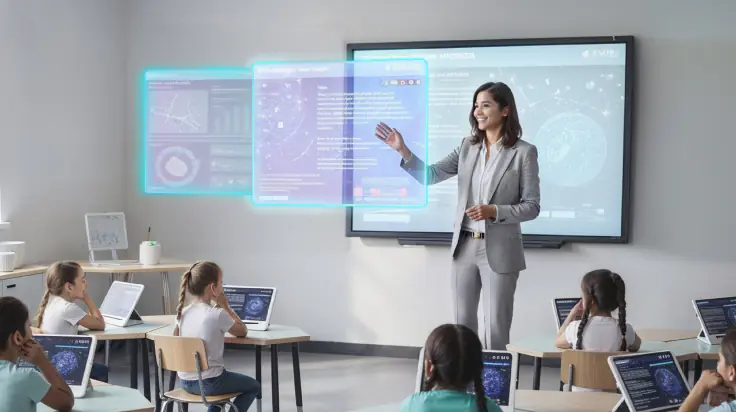
Introduction
Every Sunday evening, millions of American K-12 teachers sit at their kitchen tables surrounded by stacks of ungraded papers, lesson plans, and admin tasks. You love teaching, but the endless administrative workload leaves you feeling burnt out before the school week even starts. Learning how to use AI in the classroom can immediately change that dynamic and help you reclaim hours of your personal time each week.
In this comprehensive guide, you will discover practical, step-by-step strategies to integrate artificial intelligence into your daily teaching routine. We will cover everything from lesson planning and automated grading to personalized tutoring for your students. You do not need a computer science degree to get started, and you do not need a massive school budget either. Read on to discover how modern technology can reignite your passion for teaching and help your students thrive like never before.
What Is AI in Education?
Artificial intelligence in education refers to smart software tools that help educators plan lessons, grade assignments, generate practice materials, and personalize student learning. Think of AI as a capable virtual teaching assistant that works 24 hours a day, 7 days a week. It does not replace your human touch, empathy, or professional judgment; instead, it handles repetitive administrative chores so you can focus on direct student instruction.
Modern education software uses natural language processing to understand standard text commands. You simply type a request in plain English, and the tool creates a structured response in seconds. For example, you can ask an assistant to draft a 5th-grade science rubric, create a differentiated reading passage, or write ten algebra practice problems.
Educators across the United States use these tools to streamline daily workflows:
- Generating creative class activities tailored to student interests
- Drafting parent communications and weekly newsletters
- Formatting quizzes and flashcards automatically
- Modifying reading levels for English Language Learners (ELL)
Why It Matters in 2026
Educator burnout is at an all-time high in public and private schools across North America. Teachers consistently cite heavy administrative burdens, endless paperwork, and large class sizes as their primary sources of stress. According to workplace trends, educators spend up to 20 hours per week on non-teaching tasks alone (Bureau of Labor Statistics, 2024). Finding efficient ways to use AI in the classroom directly addresses this workload crisis.
Furthermore, student learning needs have never been more diverse. In a typical American classroom, a single teacher must differentiate instruction for advanced learners, students reading below grade level, and English language learners simultaneously. Tailoring every assignment manually for 30 students is nearly impossible without working late every single night.
The federal government also emphasizes the need for responsible technology integration. Guidance from the US Department of Education
highlights that artificial intelligence should empower teachers rather than replace them, serving as a tool to bridge educational equity gaps across districts. Adapting to these digital tools now ensures educators stay ahead of workplace trends while preparing students for a technology-driven workforce.
Smart Lesson Planning and Differentiation
Traditional lesson planning requires hours of manual research, curriculum mapping, and material preparation. Generative AI tools can draft complete, standards-aligned lesson plans in under two minutes, giving you a strong foundation that you can tweak and refine.
When drafting lesson plans, you can specify your exact grade level, state standards, student interests, and available class time. The software instantly generates structured outlines, background information, guided practice steps, and check-for-understanding questions.
Here is how you can differentiate a single lesson using smart technology:
- Reading Level Adjustment: Paste a text passage and ask the software to rewrite it at three distinct reading levels for different student groups.
- ELL Support: Automatically translate key vocabulary terms into Spanish, Vietnamese, or Arabic, complete with visual descriptions and native context.
- Interest-Based Hooks: Prompt the tool to design a math word problem based on popular video games, sports, or local community events to increase student engagement.
- Accommodation Materials: Instantly generate simplified instructions, graphic organizers, or sentence starters for students with individualized education programs (IEPs).
By automating these formatting tasks, you save hours of preparation time every week. You can explore our related guide on AI Tools for Teachers to discover specific platforms designed specifically for K-12 educator workflows.
Automated Grading and Instant Student Feedback
Grading essays, lab reports, and open-ended assignments consumes a massive chunk of an educator’s evening. Automated evaluation tools do not assign final grades for you, but they dramatically accelerate the feedback process by identifying patterns and drafting preliminary comments.
You can upload assignment rubrics into an AI platform and paste student drafts to receive instant feedback suggestions. The tool highlights grammatical errors, identifies missing thesis statements, and evaluates structural organization against your specific criteria.
Here is a simple 4-step workflow to streamline your grading routine:
- Define Your Rubric: Upload or paste your explicit grading criteria into the software platform.
- Scan or Paste Work: Input digital student responses into the secure evaluation queue.
- Generate First-Pass Feedback: Allow the software to draft specific strengths and areas for growth for each student submission.
- Review and Personalize: Read through the generated suggestions, adjust the score based on your professional judgment, and add personal encouragement before returning the work.
This streamlined workflow cuts grading time by up to 50 percent while delivering faster, more detailed feedback to your students. To learn more about modern digital classroom management strategies, check out our article on [EdTech Trends in Modern Education](EdTech Trends in Modern Education).
Interactive Learning and AI Tutors for Students
Integrating technology into daily instruction creates active learning opportunities that hold student attention. Intelligent tutoring platforms offer personalized support to students when the teacher is working with small groups or assisting other individuals.
Programs integrated with platforms like Khan Academy
provide interactive, step-by-step guidance without giving away the direct answers. When a student gets stuck on a calculus problem or reading comprehension question, the virtual tutor asks guiding questions to help them think through the logic independently.
Educators can set up engaging classroom activities using interactive technology:
- Historical Socratic Dialogues: Students can “chat” with a simulated historical figure like Abraham Lincoln or Eleanor Roosevelt to ask questions about primary sources.
- Virtual Science Lab Partners: Learners can brainstorm hypothesis ideas, design virtual experiments, and analyze outcomes with an interactive lab assistant.
- Real-Time Language Practice: Foreign language students can practice conversational dialogue in Spanish, French, or Mandarin with immediate grammar and pronunciation hints.
- Interactive Writing Coaches: Students can brainstorm creative story outlines, check vocabulary variety, and refine essay drafts before submitting final work.
Using technology as a supportive co-pilot builds critical thinking, digital literacy, and independent problem-solving skills that students will need in their future careers.
How to Get Started Today
Starting your journey with new technology does not have to be overwhelming or time-consuming. You can implement these tools step-by-step without disrupting your existing curriculum or classroom routine.
Follow these practical steps to begin using technology in your school today:
- Pick One Specific Problem to Solve: Focus on your single biggest time-waster, such as writing weekly emails, drafting reading quizzes, or creating math rubrics.
- Choose a Reliable Platform: Sign up for a free, established tool like ChatGPT, Claude, or Google Gemini using your professional email address.
- Master Basic Prompting: Learn to write clear, detailed instructions including your grade level, subject, target objective, and desired output format.
- Test and Verify Content: Always read through generated content carefully to check for factual accuracy, age-appropriateness, and alignment with state standards.
- Protect Student Privacy: Never enter sensitive student data, full names, addresses, or identification numbers into public software tools.
- Share with Your Colleagues: Collaborate with grade-level team members or department chairs to trade effective prompt ideas and templates.
- Expand Your Skills: Take professional learning courses through platforms like Coursera or Google to earn continuing education units and advance your technology skills.
Cost and Time Investment
Getting started with artificial intelligence in education is surprisingly affordable and fast. Most leading platforms offer robust free tiers that provide more than enough features for individual K-12 teachers. Premium education software subscriptions typically range from $10 to $20 per month if you choose to upgrade for higher usage limits and specialized features.
In terms of time, learning the basics takes less than one hour of hands-on practice. By investing 30 minutes this week to set up an account and practice simple prompts, you can save 3 to 5 hours of administrative work every single week moving forward.
Frequently Asked Questions
Q: Will AI replace human teachers in the classroom?
A: No, software tools will never replace human educators. Teaching requires empathy, emotional intelligence, mentorship, and real-time classroom management that technology cannot replicate. AI serves purely as an administrative assistant to help teachers spend more quality time with their students.
Q: Is it safe to use AI tools with student data?
A: Yes, provided you follow strict privacy guidelines. Never input personally identifiable information, student records, or full names into public platforms. Always ensure any technology tool used directly by students complies with FERPA and COPPA privacy regulations.
Q: How do I handle students using AI to cheat on assignments?
A: Address cheating by focusing on process-oriented learning, in-class writing, and oral presentations. Teach students proper digital ethics, cite sources correctly, and design assignments that require personal reflection, critical analysis, and local real-world application.
Q: Are there free AI tools specifically built for educators?
A: Yes, many platforms offer completely free accounts for teachers. Tools like Khanmigo, MagicSchool AI, and basic versions of ChatGPT provide extensive lesson-planning and grading templates designed specifically for K-12 classrooms without any financial cost.
Conclusion
Artificial intelligence is transforming the educational landscape, offering teachers an unprecedented opportunity to reduce paperwork and personalize learning. By embracing these innovative tools, you can automate lesson planning, simplify grading, and build interactive learning experiences that inspire your students.
The goal of technology is not to change why you teach, but to free up the time and energy you need to teach effectively. Start small by picking one task to automate this week, and watch how much time you reclaim.
If you found this guide helpful, please share it with your fellow educators on social media or in your school faculty lounge. Explore our site for more expert insights on modern teaching strategies and technology tools.
Read More about AI on AI Global Class