

You are likely reading this while trying to balance three open browser windows, a downloading video file, and an upcoming video meeting. If your screen suddenly freezes or that download crawls at a snail’s pace, your immediate reaction is not structural curiosity it is sheer frustration. We pay hundreds of dollars every month for modern digital infrastructure, yet we rarely question whether we are buying the right kind of pipeline.
- 1. The Fundamental Split: Public Mobility vs. Private Fortresses
- 2. The Latency Illusion and Real-World Productivity
- 3. Multi-Link Operation: The Hidden Gem of Domestic Efficiency
- 4. Cellular Fixed Wireless: The Financial Arbitrage Play
- 5. The Device Lifecycle and Capital Allocation
- 6. Long-Term Property Value and Remote Work Infrastructure
- Summary Strategy
The global conversation around internet infrastructure is shifting rapidly, turning connectivity into a high-stakes financial and personal productivity asset. As hybrid employment and remote consulting become permanent fixtures for professionals aged 25 to 45, the underlying technology powering your daily routine directly influences your earning power. Two massive pillars dominate this space: cellular 5G networks and the newly minted Wi-Fi 7 home standard. While hardware manufacturers want you to upgrade everything simultaneously, a smarter approach is to isolate where your capital actually drives performance.
Understanding where to deploy your cash requires dissecting what these two systems actually do for your routine, your home value, and your monthly budget.
1. The Fundamental Split: Public Mobility vs. Private Fortresses
To avoid overpaying for unnecessary tech upgrades, you must first understand the operational divide. 5G is a cellular technology designed by telecom giants to blanket entire cities, highways, and rural corridors using vast networks of outdoor cell towers. Wi-Fi 7, conversely, is a local wireless standard designed to manage short-range data distribution inside a specific property, drawing its power from a physical fixed line like fiber-optic cables.
Think of 5G as an expansive public transit system that ferries you across town, while Wi-Fi 7 is the precision-tuned elevator system inside your office building. You cannot use Wi-Fi 7 to navigate a morning commute across town, and relying purely on cellular signals indoors often leaves you at the mercy of thick concrete walls and local cell tower congestion. Balancing both effectively prevents you from paying premium cellular data overage fees while maximizing your home office output.
2. The Latency Illusion and Real-World Productivity
Marketing campaigns frequently highlight peak speeds, but for an active professional, latency the round-trip time it takes for data to travel from your device to a server is the metric that truly governs your day. High latency causes that awkward two-second delay during international video calls where people constantly interrupt each other. It degrades the responsiveness of cloud-based project management software and real-time financial trading platforms.
Wi-Fi 7 slashes internal network latency to under five milliseconds by using ultra-wide channels and pulling from a dedicated local fiber wire. Cellular 5G, while vastly superior to older 4G systems, routinely experiences latency spikes ranging from 20 to 50 milliseconds in dense urban areas because it must share bandwidth with thousands of nearby smartphones. If your income depends on smooth, uninterrupted digital execution from a fixed desk, investing in local hardware yields a far higher immediate return than chasing a localized cellular plan upgrade.
The Bandwidth Math: Theoretical vs. Practical Realities
While advanced 5G networks can deliver impressive mobile speeds averaging 150 to 400 Mbps in well-covered urban centers, Wi-Fi 7 routers are built to process internal data transfer rates exceeding 5 Gbps across multiple home office devices simultaneously.
3. Multi-Link Operation: The Hidden Gem of Domestic Efficiency
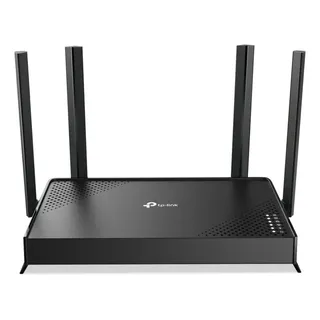
The standout feature of Wi-Fi 7 that directly solves a universal household headache is called Multi-Link Operation (MLO). Traditional routers force your laptop to connect to a single frequency band, typically choosing between a slow but long-range 2.4 GHz channel or a fast but short-range 5 GHz channel. If your smart television or kitchen appliances begin hogging that single lane, your connection stutters.
MLO allows a Wi-Fi 7 laptop to connect to multiple frequency bands simultaneously 2.4 GHz, 5 GHz, and the pristine 6 GHz band. The hardware dynamically spreads data across these channels in real time. If someone in the next room launches a massive software update or streams high-definition video, your work computer instantly routes its critical data traffic through the open lanes without dropping a single packet. This eliminates the need to pay for a secondary, backup internet service provider line for your home office.
4. Cellular Fixed Wireless: The Financial Arbitrage Play
Where 5G makes a major play for your wallet is through a service known as Fixed Wireless Access (FWA). Telecom providers are leveraging their existing neighborhood 5G towers to beam high-speed home internet directly into residential properties via a small window-mounted receiver. This circumvents the traditional cable or fiber monopolies entirely.
For individuals renting urban apartments or navigating frequently moving consulting gigs, 5G home internet can cut monthly utility costs significantly. Many providers bundle these services into existing mobile phone plans for a fraction of the cost of traditional broadband. However, the caveat remains: your evening speeds are tied to local cellular traffic, meaning your connection could slow down when the surrounding neighborhood logs on to stream entertainment after working hours.
| Connectivity Track | Upfront Capital | Structural Stability | Best Used For |
| 5G Fixed Home Internet | Low (Provider Rental) | Moderate (Tower Traffic Dependent) | Renters, digital nomads, and low-density zones |
| Fiber Line + Wi-Fi 7 Ecosystem | High (Hardware Purchase) | Absolute (Dedicated Local Fiber) | Permanent home offices, creators, and high-density families |
5. The Device Lifecycle and Capital Allocation
A glaring mistake many consumers make is purchasing a premium router or upgrading to a top-tier mobile data package without auditing the devices they currently own. To unlock the operational benefits of Wi-Fi 7 or advanced 5G, your smartphones, laptops, and tablets must possess the physical interior antennas required to decode those specific signals.
Laptops and premium smartphones released over the last year are beginning to incorporate these chips, but older legacy equipment will derive zero benefit from a brand-new router. Instead of aggressively replacing functional computers or overpaying for premium network tiers, align your technology upgrades with your standard hardware replacement cycles. Treat connectivity as a gradual infrastructure rollout rather than an emergency capital expenditure.
6. Long-Term Property Value and Remote Work Infrastructure
For those who own residential real estate or are designing a permanent home workspace, fixed infrastructure is an appreciation play. A property wired with a high-capacity fiber line connected to a modern Wi-Fi 7 ecosystem handles dozens of smart home automation systems, security cameras, and multiple remote workspaces without breaking a sweat. This makes the property structurally future-proof.
Relying solely on external 5G coverage to power a modern household is a gamble on real estate topography. Trees, energy-efficient window tints, and new architectural developments nearby can abruptly degrade cellular signal penetration. A robust, locally managed wireless infrastructure ensures your property remains an efficient, self-sustaining economic engine regardless of how local telecom towers are modified or congested outside your front door.
Summary Strategy
Chasing every breakthrough in internet technology is an expensive, zero-sum game designed to drain your discretionary income. The choice between these two structural giants is not about finding a definitive winner; it is about recognizing where you waste money and where you build efficiency. Stop viewing your monthly technology line items as a fixed luxury tax and start auditing them based on where you actually sit and earn.
Your Next Financial Step: Do not buy a new phone or router today. Instead, run a hardwired speed and latency test from your primary desk during your busiest work hour. If your latency numbers sit consistently above 35 milliseconds, skip the expensive mobile data upgrades and invest your capital into a high-quality local Wi-Fi upgrade or fiber line to secure your daily productivity.